
Guide · 5 min read
How to make a manga of yourself, panels and all
Turning a selfie into real manga pages: black and white, screentones, speed lines, and your likeness held from the first panel to the last.
By the Comikaze team · Updated
Short answer
Upload one clear, front-facing photo to lock your character, choose the Manga style (or Shojo for a softer look), write the moment as a chapter hook such as a training arc or a rival's arrival, and pick 8 to 10 pages. Manga is black and white, so your likeness lives in line work and hair shape, and the pages print cheaply on plain paper.
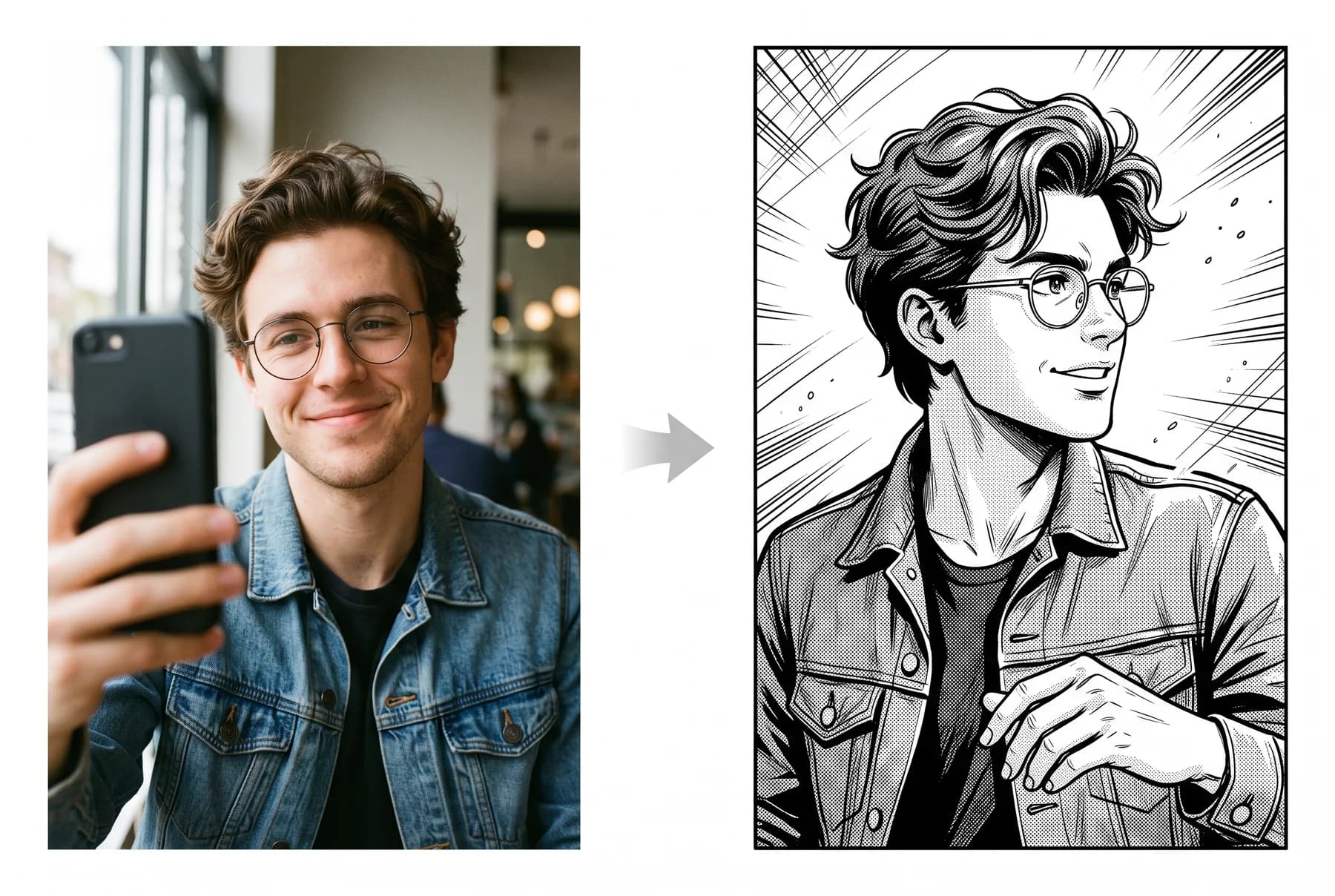
Why manga is the hardest style to fake
Manga is black and white, so there is no color to hide behind: likeness lives entirely in line work, hair shape and expression. A tool that keeps you recognisable in manga will keep you recognisable anywhere. Glasses, stubble and distinctive hair actually help here, because they translate into strong line features.
The setup
- Upload one clear, front-facing photo. That locks the character.
- Pick the Manga style, or Shojo for a softer, sparkle-heavy look.
- Write the moment like a chapter hook: training arc, rival appears, exam boss fight.
- Choose 8 to 10 pages. Manga pacing likes room to breathe.
Write in beats, not descriptions
Manga runs on escalation. A prompt like 'my gym progress drawn as a shonen training arc' gives the generator everything it needs: a goal, an obstacle and a genre with known beats. Do not describe your face or clothes; the photo already handles that.
Print it like a real chapter
Black-and-white pages print cheaply and look fantastic on plain paper. Export at full resolution, print double-sided, and you have a chapter that fits between real volumes on the shelf.