
Guide · 4 min read
Photo to cartoon: filter apps vs comic makers, honestly compared
Cartoonizer filters and comic makers both say photo to cartoon. They produce completely different things. Here is which one you actually want.
By the Comikaze team · Updated
Short answer
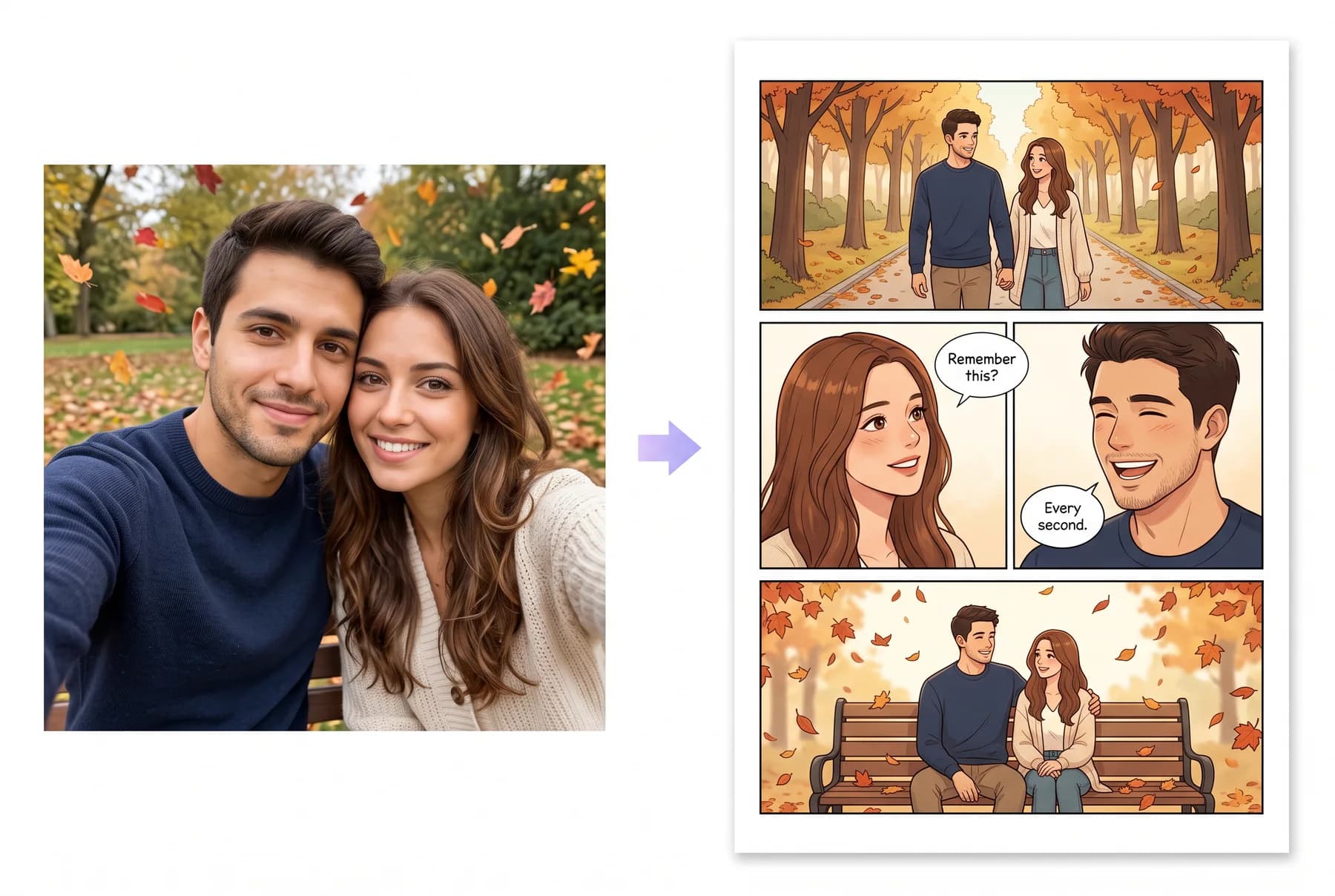
A cartoonizer filter repaints the pixels of one photo, keeping the same pose and framing, which is fine for a quick avatar. A comic maker builds a character from the photo and draws that person in new scenes, angles and expressions, with panels, speech bubbles and a cover. For a story, a gift or more than one image of the same person, use a comic maker.
Two tools, one search term
A cartoonizer takes your photo and repaints its pixels: same pose, same framing, new texture. Fast, free, and done in one tap. A comic maker reads who is in the photo, builds a character from them, and then draws new images of that character: different scenes, angles and expressions.
At a glance
| Cartoonizer filter | Comic maker | |
|---|---|---|
| What it does | Repaints the pixels of one photo | Builds a character from the photo and draws new images of them |
| Pose and framing | Same as your photo | New scenes, angles and expressions |
| Output | One stylised image | Panels, speech bubbles and a cover |
| Speed | Seconds | A few minutes per comic |
| Best for | A profile picture | Gifts, stories and anything you print |
When a filter is the right call
- You want an avatar for one profile picture.
- You need it in ten seconds and free.
- The exact pose in your photo is the point.
When you want a comic maker
- The result is a gift: gifts need a story, not a repaint.
- You want more than one image with the same person in it.
- You want panels, speech bubbles and a cover.
- You want to print something that reads like a book.
The test
Ask one question: could this tool show me from a different angle than my photo? A filter cannot; it only has your pixels. A comic maker can, because it built a character. That single difference decides everything else.